
During the busiest parts of the season, your phone will start ringing before you even get to the shop.
A client has questions about their patio install…
Your crew lead wants to know how much mulch to grab…
Yesterday’s walkthrough is still waiting on an estimate…
Those requests will keep coming all season, but the right tools – like landscaping apps and software – make that work easier to manage. Handling every request quickly and easily keeps a small delay from turning into a late day and a late day from turning into a late week.
Let’s break down where that organization saves you the most time (and money!) during your busiest weeks.
Build Estimates During the Walkthrough
When your days are full of job visits and phone calls, estimating often waits until after dinner.
Say you walk a backyard renovation at 8 in the morning, notepad in hand. You plan to build the estimate later that evening.
Then an irrigation line breaks on another job and you end up staying on site until 9 p.m. So you move the estimate to tomorrow.
By the time you finally get the estimate out, your homeowner will probably have two other bids to review. Or maybe they’ve already accepted one.
The right estimating apps give you the power to build the estimate during the walkthrough. While the client tells you what they want, you can take the measurements you need and enter them directly into the app. Once the walkthrough ends, the estimate’s just about ready to go.
That way, you can send the estimate before you pull out of the client’s driveway, with the visit still fresh in the client’s mind.
Amazing news! That’s one less thing for tomorrow evening’s to-do list.
Estimates you build in landscaping apps keep the scope, materials list, and any photos you’ve taken attached to the job. Once the client signs, your crew will have that information ready before the work starts.
Save Your Labor and Material Rates in the App
Doing the math for every line item can take longer than the walkthrough itself when you price jobs manually.
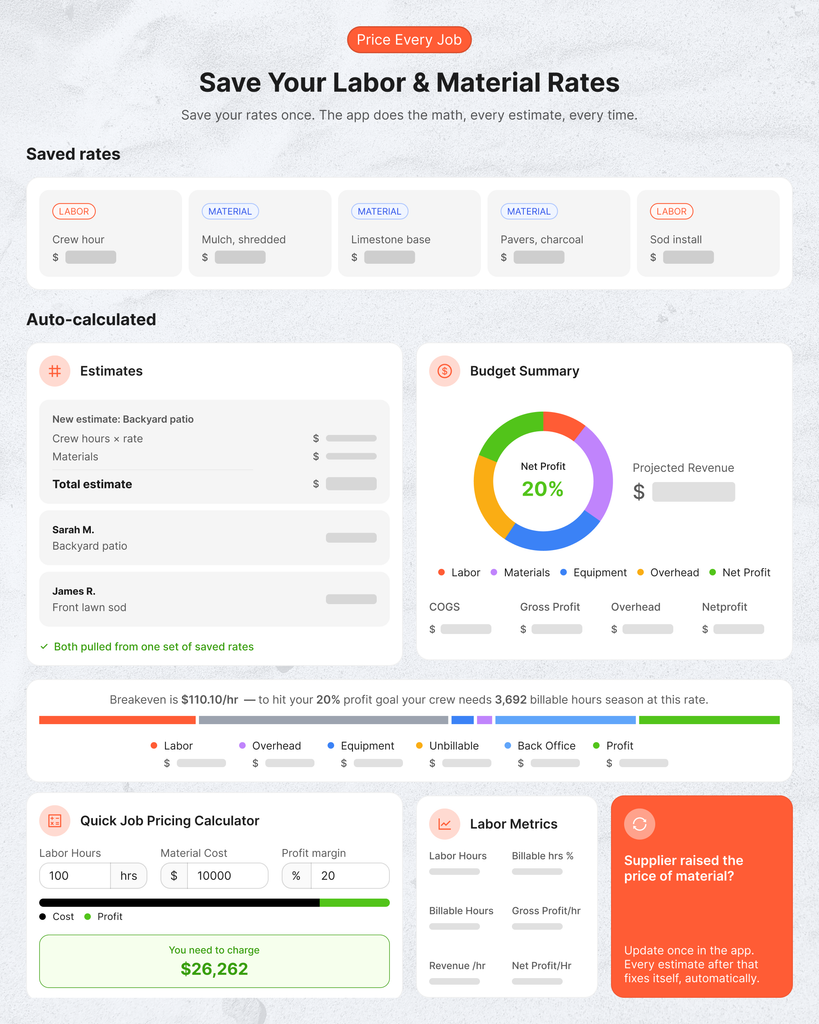
Landscaping apps and software use labor and material rates you’ve already saved to run that math for you. Then each line item you enter gets run automatically.
You can trust the results because the numbers going into those calculations are YOUR real businesses numbers. The estimates and proposals you use them to build will be the best and most accurate possible for YOUR company.
You just have to make sure you keep that information up-to-date! Your labor rate should cover what each crew hour actually costs you (with overhead costs factored in). Your material rates should match what your supplier charges you today.

If a supplier raises the price of stone, for example, you should update it in the app immediately so every estimate you make after that uses the correct price.
This keeps your prices accurate and consistent. Two separate homeowners who request the same work pay the same price. Both estimates got pulled from one set of rates. All you had to do was keep costs updated.
By the way: if you haven’t calculated your labor rate yet, SynkedUP’s free labor rate calculator makes it easy to calculate the hourly rate your work needs to meet your desired profit margin.
Check it out here!
Pull Up Property Notes and the Job Folder on Site
I spent 15 years on a landscaping crew. We hated being babysat even more than the owner hated babysitting us.
Does your own crew lead constantly call you asking for job details? If yes, that probably means that they don’t have the information they need to answer the question themselves. That’s a problem because it kills their momentum and yours.
Each of those calls stops whatever task you had in progress. Every call is time your crew isn’t spending working on the job. Too many of them can kill a whole day.
Before every job, give your crew a folder with the information they need to work as independently as possible. Start with this list:

Landscaping apps can load that folder onto each crew member’s phone. The folder updates the moment anything changes. If the actual physical gets left in the other truck (or lost, or damaged, or left at the shop), your crew can still pull up the job on their phones.
Hold Your Crew Accountable
Give your crew all the information they need, so they carry the responsibility for that job information. Not you.
If your foreman calls you to ask how much stone to order for a patio job, your answer should be “Did you check the job folder?”
If they haven’t, tell them to check it. If they have a question and the answer isn’t in the materials you’ve already given them, then they can call you.
If you answer every question yourself, you take responsibility for answering every question yourself. Remember that you promote whatever you tolerate.

Hold Yourself Accountable
Now consider the above scenario from the foreman’s side.
“Check the job folder!” only works if the right information is actually in the folder.
Imagine this foreman has the same question about stone on a different job. They check the job folder before calling you…but that number isn’t in there.
Why not? Maybe you or your salesperson skipped a step in the process (one you helped build). Now your foreman’s just learned they can’t actually trust that the job details you give them contain the information they need to do their jobs.
On their next job, they’ll probably call you before opening the folder.
Landscaping apps reduce phone tag, but only when everybody gets in the process and follows it. That includes you!
When you actually set your crew up for success with the information they need, they’ll get through their day with fewer questions and fewer calls.
You’ll get through your own day faster too.
Adjust Crew Schedules
Just because you set your schedule doesn’t mean it’s going to stay that way.
As Murphy’s Law states: Anything that can go wrong will go wrong. Your carefully set crew schedule can and will change, often with little notice.
It’s a lot to handle no matter what tools you use. But you’ve already put yourself at a major disadvantage if your schedule lives on a whiteboard in your shop. Nothing’s “official” until you get back to the shop to change the whiteboard (or call somebody to change it for you. More phone tag!).
During a rainy week that might look something like this:
- The weather pushes the patio install scheduled for Tuesday to Wednesday.
- So you bump Thursday’s mulch job to Friday.
- Your crew lead goes home at 4.p.m.
- You actually get the chance to update the whiteboard schedule at 6 p.m. Your crew lead never actually sees it.
- On Thursday morning, his crew pulls up to the mulch job. Meanwhile, your patio client is getting ready to call you and ask where everyone is.
One missed update can cost a crew half a day and put you behind for the rest of the week.
Landscaping apps get the schedule off a whiteboard and onto your phone. You can move a delayed job to another day while you’re still in the truck or at the jobsite. Swapping crews or changing a start time takes a few taps.
Once you make that change, it immediately shows up for everybody with the same app. Your crew lead can check his phone at 7 p.m. and know exactly where they need to go the next morning.
Landscaping apps keep the office and crew on schedule by giving everyone one unified schedule that they can access wherever they are.
Track Crew Hours on Every Job
When you quote a job, the price you quote should cover labor, materials, equipment, overhead, and your ideal profit margin. The labor quote comes from an estimated number of man-hours.
When your crew’s work runs over those hours, the extra labor cost comes right out of your profit for that job.
You need to track crew hours for every member on every job every day. You need that record because without it you have to guess at whether a job made money.
You might have run 10-20 hours over on a job without realizing it, because you don’t actually have a record of who worked on which job when and for how long. The next similar job you bid will get priced the same way…with the same result.
I’ve used paper timesheets but I don’t exactly recommend them. Paper timesheets mean a foreman might fill in the week’s hours from memory on Friday, giving you only a weekly total – not how many hours went to which task.
Or people lose them. Or damage them. Or just forget to turn them in.
Landscaping apps and landscaping software save your crews the drama (and the trees) by letting them simply clock in and out from their phones. They can then use the app to assign each hour to the job they worked.
Landscaping apps for contractors make it easier for you to collect that information and keep it organized. You don’t have to collect a single timesheet. You can just turn on the app and it’s there.
Use Job Costing to Perfect Your Pricing and Catch Overruns
Here’s another reason job tracking matters so much: it fuels your job costing!
Job costing describes the practice of comparing the expenses you estimated for a job against the actual time, resources, and money it used. Running job costing consistently shows you what services make your business money and which ones lose it.
For instance, you might find that your maintenance routes stay within budget, but every retaining wall build you take on uses more labor than you estimated. Why?
Every time you run job costing, you can use what you find to adjust your pricing on the next bid.
Or maybe the problem is your estimating. There are fixes for that too! Like SynkedUP’s free production rate calculator. Just input measurements from jobs you’ve already done, like mowing a lawn, and it calculates production rates for those jobs. Give it a try here!
Landscaping apps give contractors the tools to compare a job’s hours against the estimate while the crew is still working. If a job starts running over, you can see that overrun while there’s still time to act.
Let’s say you estimated a retaining wall job at 80 man-hours. Three days into the job, your foreman checks the progress bar on your landscaping app. He sees that 60 hours have been used with half the wall still left to build.
At that rate the job will take 120 hours to complete. That’s a pretty big overrun. But since your foreman caught it with time left in the job, you can investigate what’s slowing you down.
Maybe the excavation hit buried rock that you didn’t account for in your estimate. Since you caught it at 60 hours instead of 80 (or 110), you can make up some of the lost time by bringing in a mini excavator for the rest of the dig.
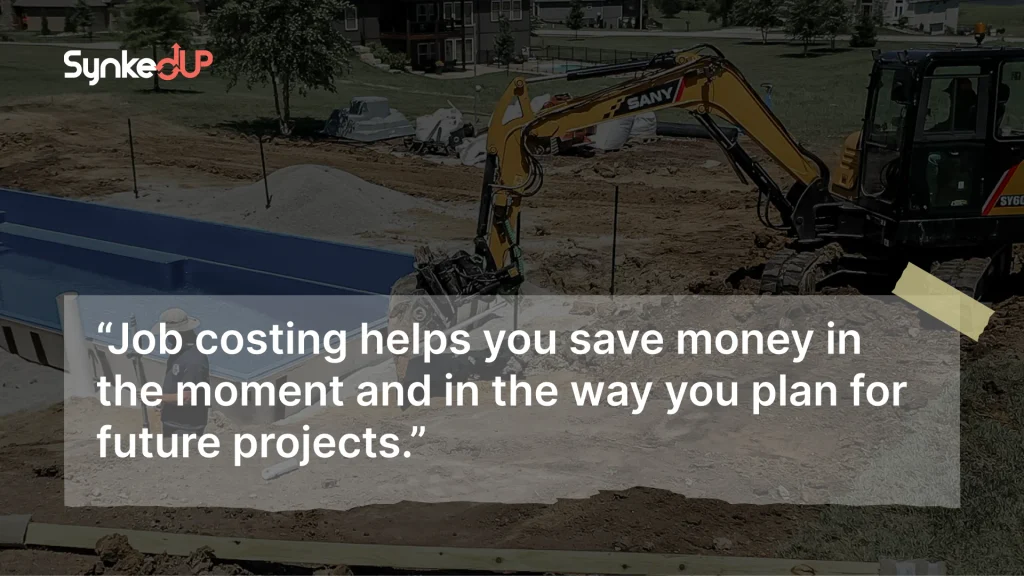
It also tells you that you should consider rock removal when pricing your next retaining wall job. Job costing helps you save money in the moment and in the way you plan for future projects.
Stay Organized Through a Busy Season with SynkedUP
A busy season doesn’t leave a ton of room for missed details and miscommunication. One small delay can push back a crew’s whole day.
Digital tools for contractors (like landscaping apps) keep every part of a job from estimating to scheduling to crew tracking organized in one system you can access from the shop, the field, or while on the road.
That’s why we built SynkedUP! It’s a landscape estimating software made by contractors for contractors, designed to keep all the information you need in one shared system for you, your office, and your crews.
You can also put that system on your phone with the SynkedUP mobile app! With our AI estimating feature, you can record information about a job (including videos and measurements) during the walkthrough.
After the walkthrough ends, the AI uses that information to build an accurate estimate that’ll be ready to send before you even leave the driveway.
Once a job is sold, your crews can find the answers they need in the Digital Job Folder on the app. The app also tracks the hours they work against the estimated hours in real time. If a job starts to run over, your team can see it and course-correct before the job loses money.
To learn more about how SynkedUP and its mobile app (with an offline mode!) can help you run your business with confidence, book a demo today!


