
These days, software solutions are available for just about everything. You may even have a few lawn care business management software options open in your browser right now.
Each will promise to make your business better than ever. But which one should you choose? This all costs money, after all. Making the wrong choice also costs you time and effort.
What really matters is how the lawn care business management software you choose handles an actual job. In this article, I’ll walk you through how the right landscaping software helps you price jobs accurately, defend those prices, and keep each job on track when the work starts.
Build Fast, Accurate Estimates
Let’s start with estimating. You, your crew, and your customer use your landscaping estimate to plan for the job. So it’s in everybody’s best interest that you choose a landscaping software that makes estimating a fast, repeatable, and accurate process.
Save a Production Rate for Each Task
A production rate tells you how much of a task a crew member can finish in one hour, such as how many linear feet of bed edge they can cut.
You should have a production rate saved for every service you sell, from installing patios to mowing lawns. Then put those rates in your landscape business management software.
When you build an estimate, you fill in the scope of the job, and your landscape business management software divides it by the rate to get the estimated man-hours the job will take.
(A man-hour refers to one employee working one hour, by the way. If you have three crew members working eight hours each, that’s 24 man-hours.)
The production rates you use need to come from your own crew. Guessing at a rate or borrowing one from a different contractor (with a different crew!) won’t get you an estimate that speaks to the work done by YOUR crew and YOUR company.
Let’s say each member on your crew can edge 100 linear feet of bed an hour. You get a job edging a corner lot with about 400 feet of beds. With your production rate already saved in your landscaping software, you plug in the job and it estimates the work at four man-hours.
What if you didn’t use landscape business management software or production rates at all? You might guess that your crew can probably edge 200 feet an hour and estimate that job at 2 man-hours.
Your crew still needs four hours to get the work done; your estimate’s just way off. Now what? Maybe you end up asking the customer for more money after pricing the job. Or you tell your crew to do the work in half the time it actually takes, forcing them to rush. Not a great look.
If you haven’t calculated your business’s production rates yet, get a head start with SynkedUP’s free production rate calculator! Enter measurements from actual jobs you’ve completed, and it uses that info to calculate your production rates.
Check it out here!
Calculate Your Man-Hour Price
The next step is multiplying those hours by your man-hour price, also known as your labor rate. That’s the amount you charge for every man-hour of work done by your crew.
How did you get that labor rate? Did you just pick a number that sounded “about right”? Did you use a similar number to what your competitors are charging?
If so…stop! I’m always telling contractors that in order to succeed, you have to know your numbers. Yours. NOT anybody else’s. That’s the best (and only) way to get your customer an accurate price that actually reflects what the work costs.
That’s going to require some actual calculations. Luckily, lawn care business management software does those calculations for you. It builds your man-hour price using your crew’s wages and labor burden and your overhead expenses, with your profit margin added on top.
Now your customer gets a fair and accurate price, but one that should still net YOU money in the bank when the work’s done.
If some of your costs change, lawn care business management software keeps you from having to go back and run those calculations again manually with the updated numbers. Instead, you just update the costs in the system, and it updates your pricing automatically.
Need help figuring out your own business’s man-hour rate? Use SynkedUP’s free labor rate calculator here!
Use Templates for Estimating
A template is a checklist for a certain type of work, like a patio. It holds the tasks, production rates, and materials for that service, so you don’t forget anything while putting together the estimate.
If you’ve never used templates for estimating, take this as a sign that you have to start. Trust me, your future self will thank you.
Now you could build a template in spreadsheets…or you could use lawn care business management software built specifically for this purpose. With your rates and man-hour price saved, it’ll be quick work creating a template for the jobs you do the most.
The next time you bid a patio job, you won’t forget the edge restraint, the joint sand, or some other random little detail, because you literally can’t. It’s already built into the template.
Templates also keep the pricing in your estimates consistent, no matter who’s doing the estimating.
For example, maybe two neighbors on the same street hire you for weekly mowing. Your salesperson prices one lawn by hand, and you priced the other. The lawns are the same size and the work takes the same amount of time, but one neighbor paid more money than the other!
If those two neighbors compare bills, the one who paid more will doubt every estimate you send going forward. If both estimates had been built with the same template, they’d have paid the same price.
Send Estimates From the Property
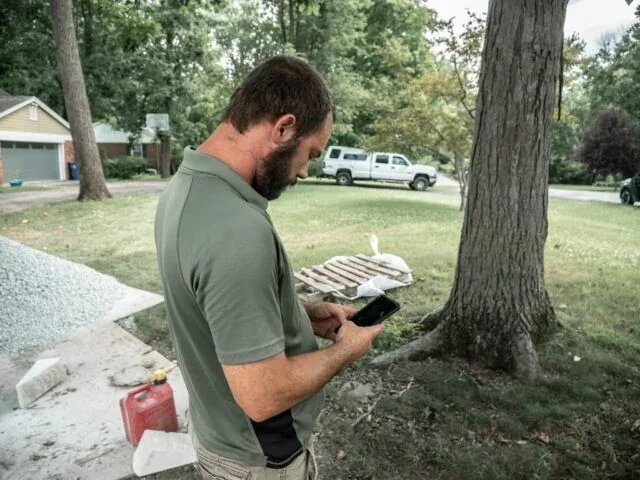
Look for landscaping software solutions that come with a mobile app you can use on your phone. When you have a walkthrough, your rates and templates go with you, right in your pocket.
Once the walkthrough ends, you have everything you need to build the estimate right there before you even leave the driveway.
This matters because speed matters for contractors! The sooner you use your lawn care business management software to send an accurate estimate, the fresher the job (and your company) is in that prospect’s mind when they receive it.
You also have to consider the competition. A homeowner who called you for an estimate might have called two other contractors about the same work. If you take days or even weeks to build an estimate, one of those other contractors may have already won the job by the time you send it.
Defend Your Pricing
Customers want to know exactly what they’re paying for. A flat total won’t tell them, so they’ll have no way of knowing that you gave them a fair price.
But because you used your real numbers to calculate your pricing in your lawn care business management software, you can just use the software to help you break down exactly how you got that price.
Break Your Price Into Line Items
Picture this: A homeowner gets two quotes to replace the sod in their backyard. Your estimate comes in $1,800 higher. So they call to ask why.
It’ll be tough to defend your pricing if you estimate from your gut or use a complicated spreadsheet system only you understand. But if your lawn care business management software built that price using real costs, you can walk the prospect through each line item and tell them exactly where the $1,800 difference came from.
They’ll see the man-hours required to strip the old turf. They’ll see the cost of the topsoil that goes down before the new sod. They might even see that the other quote didn’t include topsoil at all, explaining that price.
When you use landscape software, you can show this breakdown on every single quote. Customers who know exactly where their money is going are less likely to doubt your price.
Put the Breakdown in a Professional Proposal
Send the pricing breakdown in a professional proposal so the customer can review it on their own time.
Lawn care business management software streamlines this entire process. Use it to send the proposal, then get notified when they sign and make the down payment. Since you don’t have to drive back out to collect a signature, the job can go on your schedule immediately.
Stay on Top of Each Job From Start to Finish
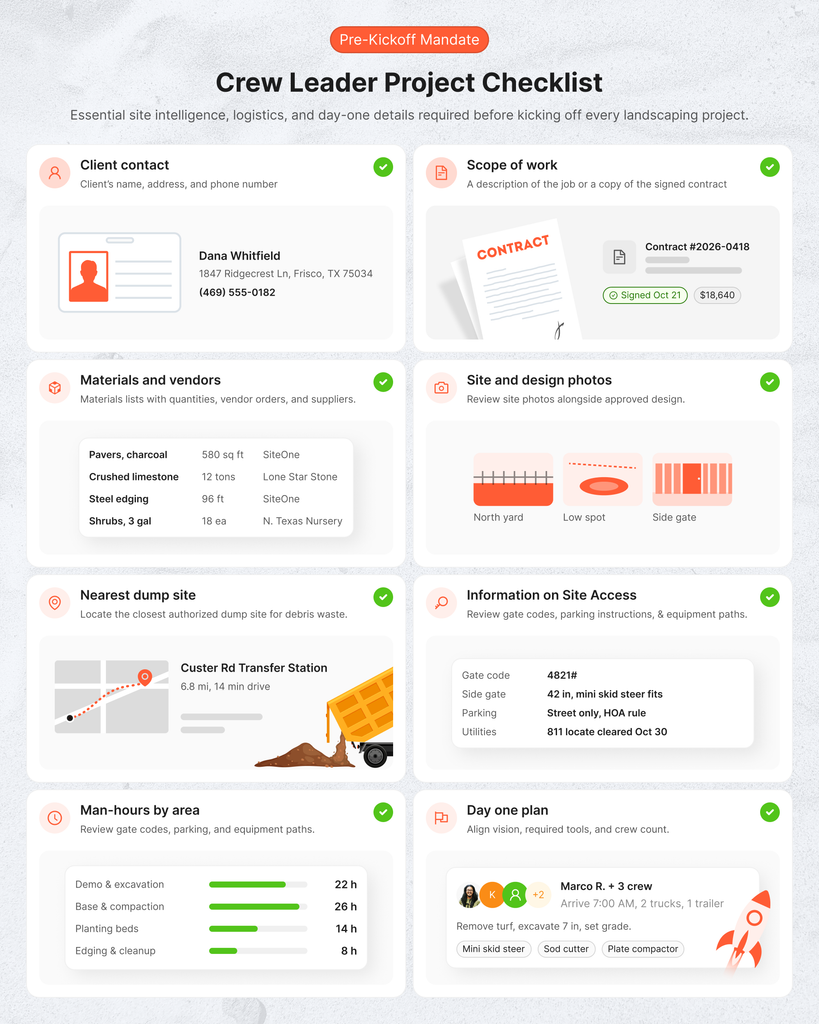
The customer approved your proposal. Great! Now your crew has to deliver on the work you promised. Lawn care business management software puts all the information your crew needs to do their jobs well right on their phones.
While your crew works, the software tracks the job against the estimate. If the work starts running over, you can catch it and talk with the customer before the price changes.
Give Your Crew the Details Before They Arrive
Your job (or part of it) is to make sure your landscape crew has all the information they need to be successful before the job starts. That includes the actual job details and anything else they need to know. Like the client’s gate code. Or a warning about the homeowner’s loud (but ultimately harmless) dogs.
When a job gets scheduled, lawn care business management software sends your crew lead (also known as your foreman) a notification alongside a digital job folder. The folder holds job details, photos of the property, and any other details from the walkthrough.
Maybe you noted during the walkthrough that the customer’s backyard gate is three feet wide. The foreman went through the folder the day before and loaded a walk-behind mower onto the truck.
Then the crew starts the job on time. It runs smoothly and as estimated. And nobody has to trek back to the shop for a smaller machine.
Run Job Costing While the Crew Works
Lawn care business management software gives landscapers a serious edge with job costing (the practice of comparing a job’s actual costs against what you estimated it would cost).
You or your crew lead can use the software (or its mobile app!) to track the crew’s time, the materials used, and the associated costs.
While you’re tracking, the software also runs job costing in real time. If a job threatens to run over its estimated hours or budget you can catch it while there’s still time to fix it.
Without that real-time data, a lot of landscapers only catch overruns when they show up in the bank as lost profit (and it’s far too late to do anything about it).
Imagine that your estimate for a job calls for six tons of river rock on a dry creek bed. By noon the crew’s already used five tons, with a third of the creek bed still left to cover. The foreman notices and adds a note to the job folder saying that the trench runs deeper than the information from the walkthrough showed.
So you call the customer to explain and they approve the cost of the extra rock. The job finishes on schedule. When the final invoice arrives at a higher price than the estimate, the client doesn’t mind, because they already know why.
Best of all, your landscaping management software and mobile app track data and create job costing reports automatically. Nobody has to spend three hours (that they probably don’t have) typing data into a spreadsheet. They just have to read the report and act on what it tells them.
Manage Your Whole Landscaping Business in One System
With the right lawn care business management software:
- Your estimates come from your crew’s actual pace and your business’s real costs
- You can deliver quotes to customers faster than your competitors.
- You can defend your landscaping prices line by line
- You can spot overruns mid-job
We built SynkedUP, landscaping software by and for real contractors, to run every job in one system that your whole team can use.
SynkedUP takes all your company’s data and centralizes it into one accessible system. The system uses that job data to run tracking and job costing, provide accurate production rates, and create fast and accurate estimates.
With SynkedUP’s AI estimating feature, you can now use the walkthrough to build your estimate. As you walk the property, record customer conversations, measurements, photographs and more using the SynkedUP mobile app.
Once you’re done, the app takes everything you’ve collected and uses it to create an estimate that’s ready to send before you leave the client’s driveway.
To learn more about how SynkedUP’s tools can help you run your business smarter, book a call today!


